
Bring a specific gown reference
Preview the silhouette, neckline, lace, sleeve shape, waist, satin skirt, and train from a permitted image you choose.
Try wedding dress styles on your own photo with AI. Add a clear bridal gown reference to preview A-line, mermaid, ball gown, sheath, lace, satin, and other visual directions before a boutique fitting or styling decision.
AI wedding dress try-on combines your photo with a gown reference. It creates a new image that interprets the bridal style while aiming to preserve identity, pose, proportions, camera angle, lighting, and background. Use it to explore silhouettes, necklines, sleeves, colors, and styling ideas from home.
Treat the result as an early comparison. It can help decide whether an A-line, mermaid, ball gown, or sheath belongs on your physical try-on list. It is not a measurement system: real fabric, corsetry, lining, alterations, movement, and construction determine actual fit.
Combine one clear full-length photo with one gown reference, then review the silhouette and bridal details in a simple, repeatable workflow built around your visual direction.
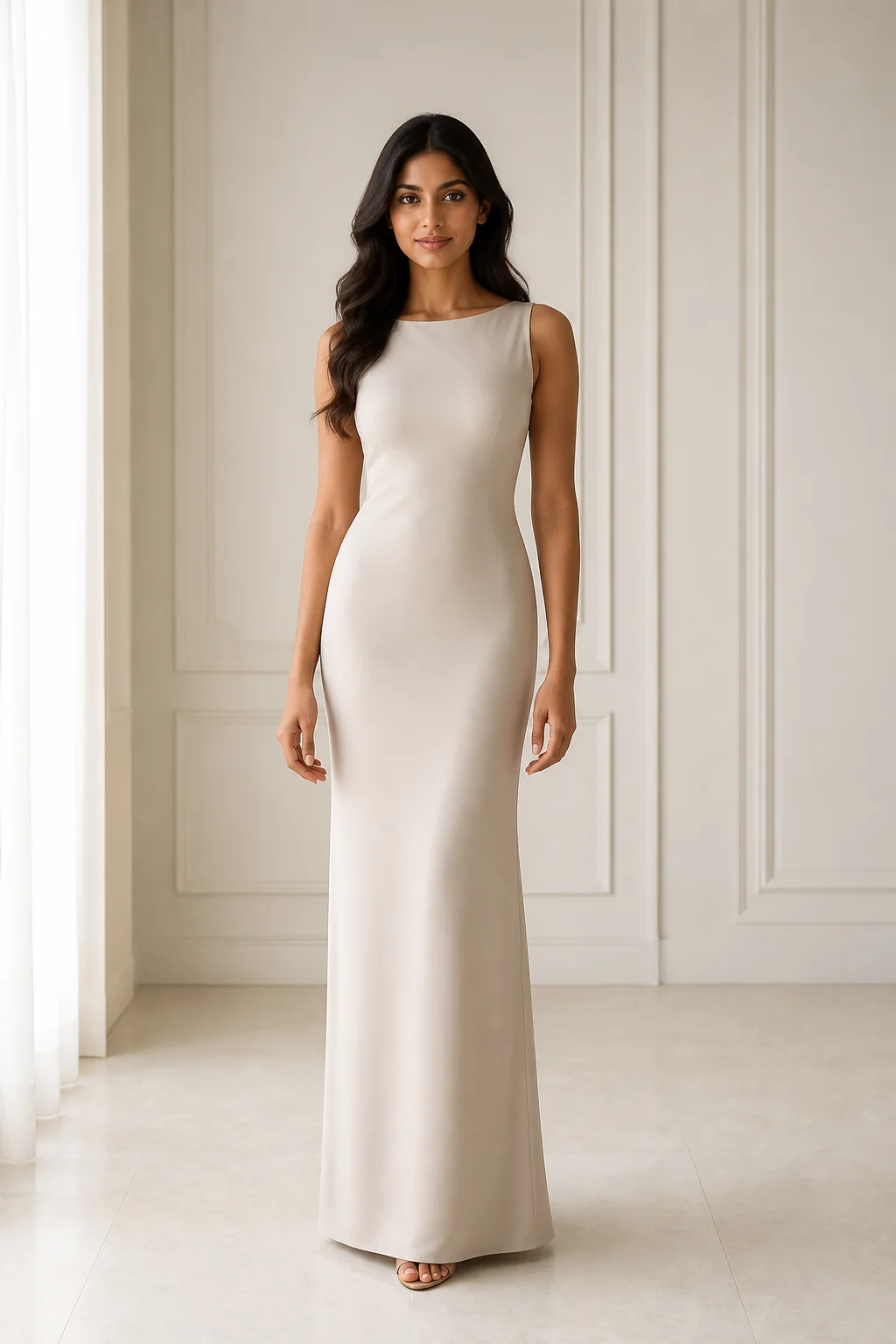
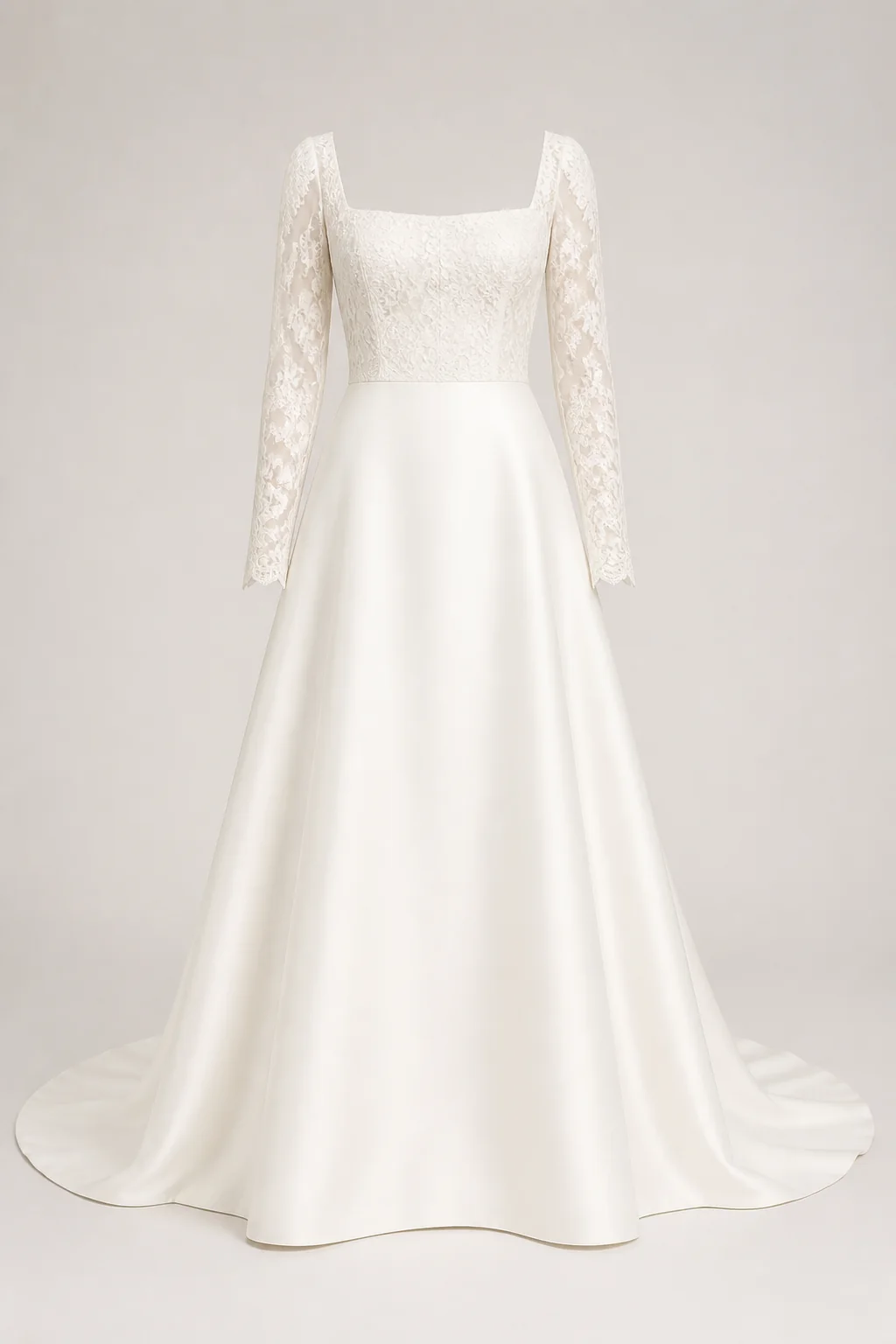
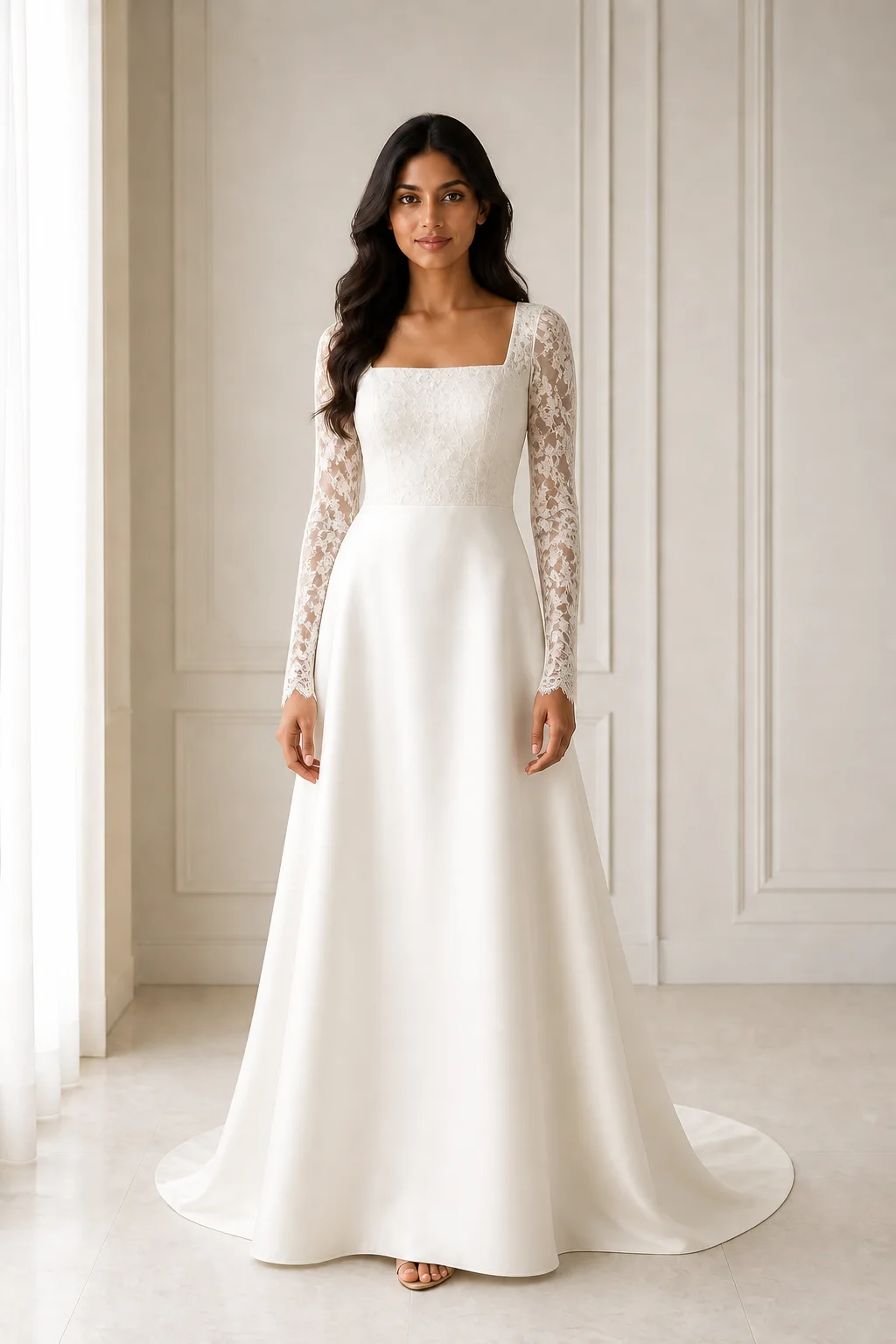
Preview the silhouette, neckline, lace, sleeve shape, waist, satin skirt, and train from a permitted image you choose.
Reuse the same full-length image, pose, crop, light, and background while exploring one bridal direction at a time.
Inspect lace edges, sleeve transparency, neckline depth, waist placement, beadwork, hands, hem, floor contact, and train length.
The current homepage wedding example keeps the subject, bouquet, pose, camera angle, and scene stable while comparing pink, white, and purple formal gown directions.
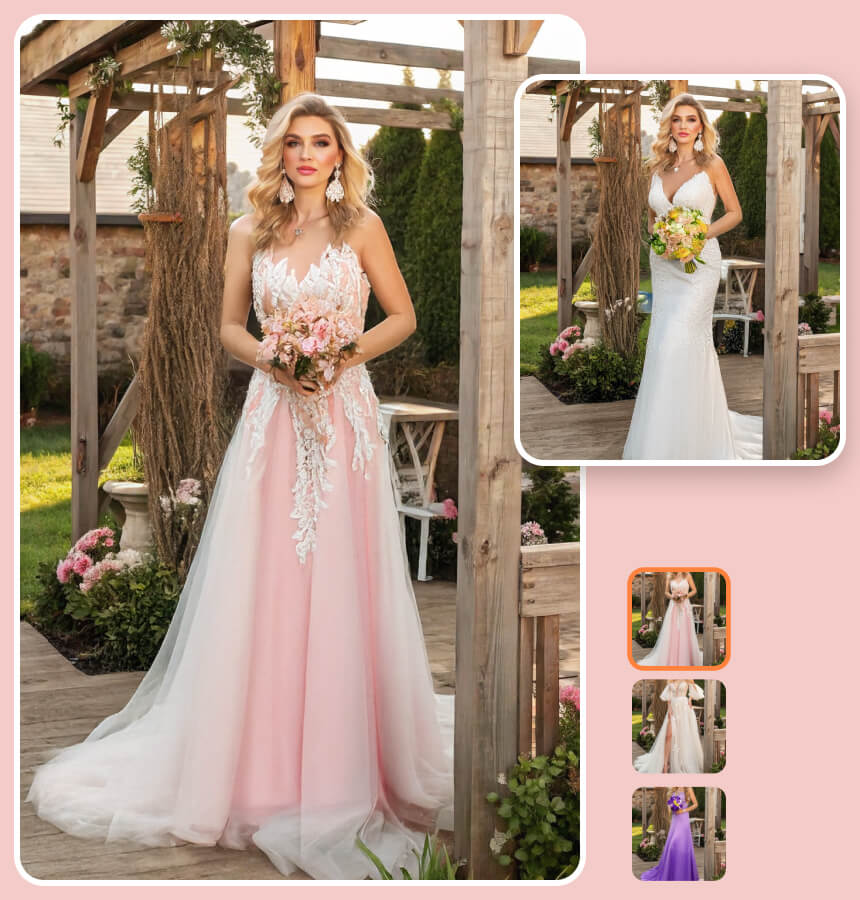
Dress the same adult in the selected bridal gown direction. Preserve her face, hair, expression, body proportions, pose, bouquet, background, camera angle, and daylight. Keep the neckline, fitted waist, skirt, hem, and train coherent with the chosen reference.
Use a front-facing, well-lit image where your shoulders, waist, arms, and legs are visible. A simple background and fitted base outfit help define the gown area.
Choose a permitted front-facing image that shows the gown from neckline to hem, including its silhouette, sleeves, waist, material, and train. Use one gown per generation.
Ask the model to preserve your identity, proportions, pose, hands, scene, and lighting. Inspect the neckline, waist, lace, hem, and train, then reuse the same person photo for the next gown.
Keep one person photo as the baseline and compare a single silhouette, neckline, sleeve, fabric, or color direction in each generation.
Compare an A-line, mermaid, ball gown, sheath, or mini direction on the same photo before choosing what deserves an in-person fitting. A physical try-on remains essential for fit and construction.
Compare square, sweetheart, halter, boat, or off-shoulder necklines with sleeveless, cap-sleeve, long-sleeve, or lace options. Change one feature at a time.
Preview ivory, champagne, blush, satin, tulle, crepe, or lace as broad directions. Generated color and texture are not product samples, so confirm the real material before ordering.
A generated image cannot take measurements, select a size, test support, plan alterations, or show how a gown moves and feels. It also cannot confirm stock, authenticity, delivery timing, tailoring, or returns.
Lace, beadwork, closures, neckline depth, sleeves, transparency, train length, color, hands, and shadows can change. Use the image to shortlist ideas, then rely on the real gown, a bridal professional, and an in-person fitting.
Answers about gown references, source photos, bridal silhouettes, delicate details, physical fit, and responsible purchase decisions.
Yes, if you have permission to use it. Choose a front-facing view showing the neckline, bodice, sleeves, waist, skirt, hem, train, and material.
Use a well-lit, front-facing full-length photo at eye level. Keep your outline visible and avoid crossed arms, bulky outerwear, bags, or furniture covering the gown area.
Yes. Reuse the same person photo, crop, background, lighting, and resolution, then generate one silhouette at a time for a controlled comparison.
Not always. Lace, beadwork, embroidery, transparency, train length, and hidden construction may change. Inspect the result and refer back to the real gown.
Upload one clear full-length photo and one bridal gown reference, preserve the person and scene, and create a visual direction to compare before an in-person fitting.